Topic clippers
A topic clipper writes to one note you choose: a reading list, a project note, a note per subject.
Pick the note in Topic Note at the top of the clipper's settings. Start typing the path and click the note in the list. Text you type without picking from the list is not saved.
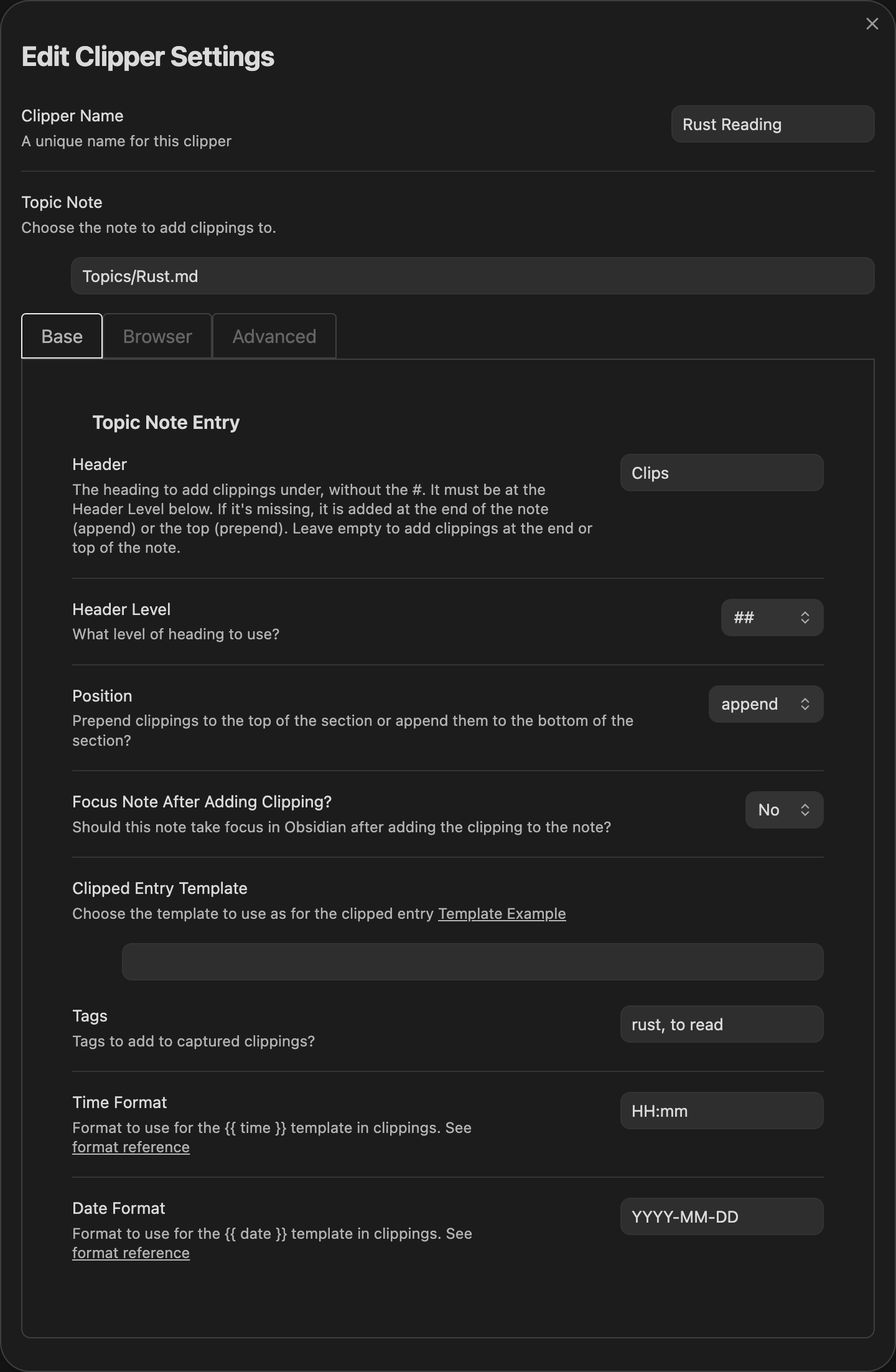
The note must exist. If it is renamed or deleted, clips fail with a notice until you pick the note again.
Topic clippers can write under a heading, like daily and weekly clippers. See Base settings.
Example
The Rust note below has a ## Clips section. The clipper is set to Header Clips, level ##, position append, with the tags rust, to read:
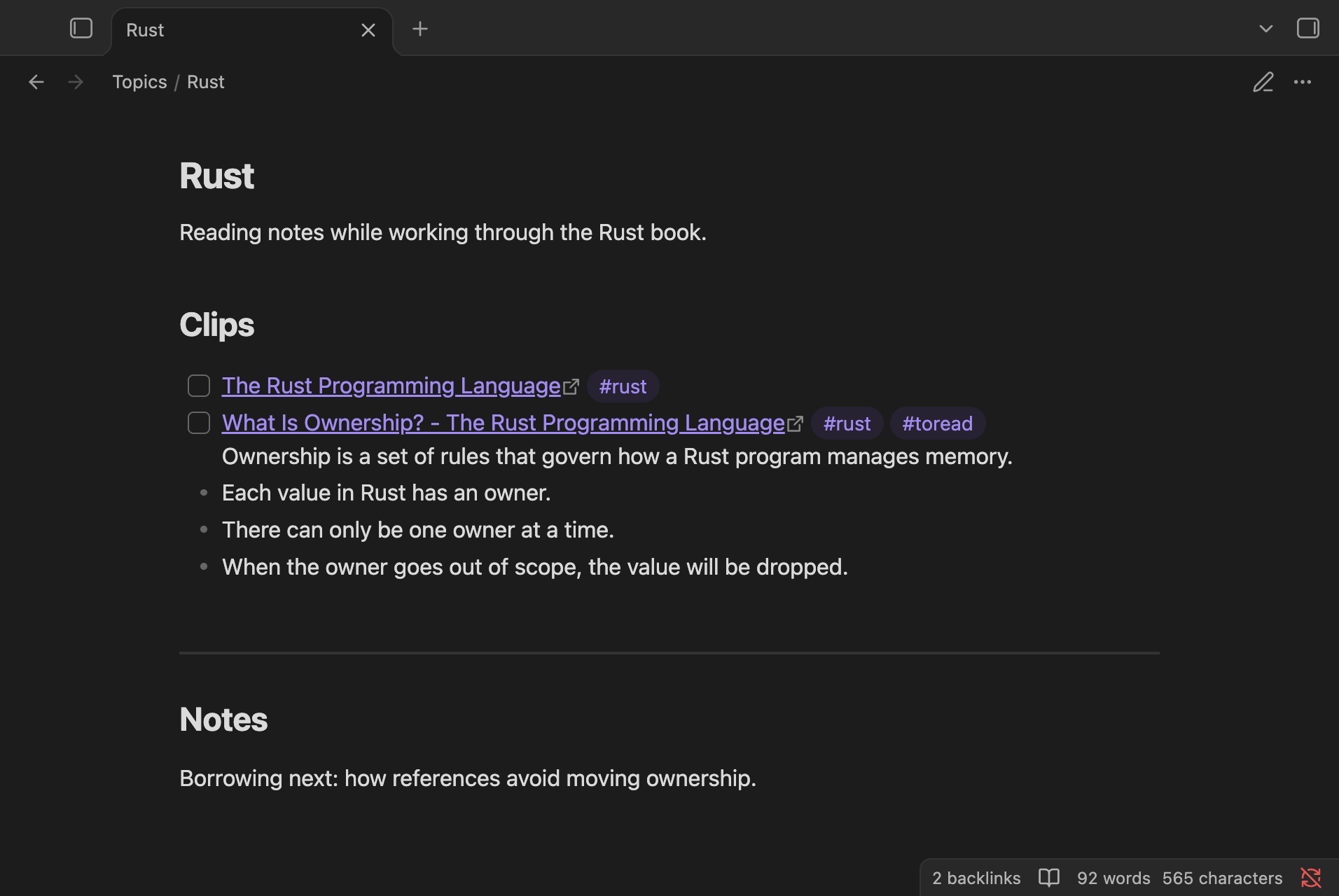
The new clipping goes after the last entry in Clips, above Notes.
One clipper per note
To clip into several notes, add a clipper for each one, and drag each clipper's bookmarklet to your browser. The Create Topic Bookmarklet command does this for the note you have open.