Commands and the Clipper view
Clipper view
Run Clipper: Open view from the command palette to open the Clipper view in the right sidebar. It lists every clipper with three links:
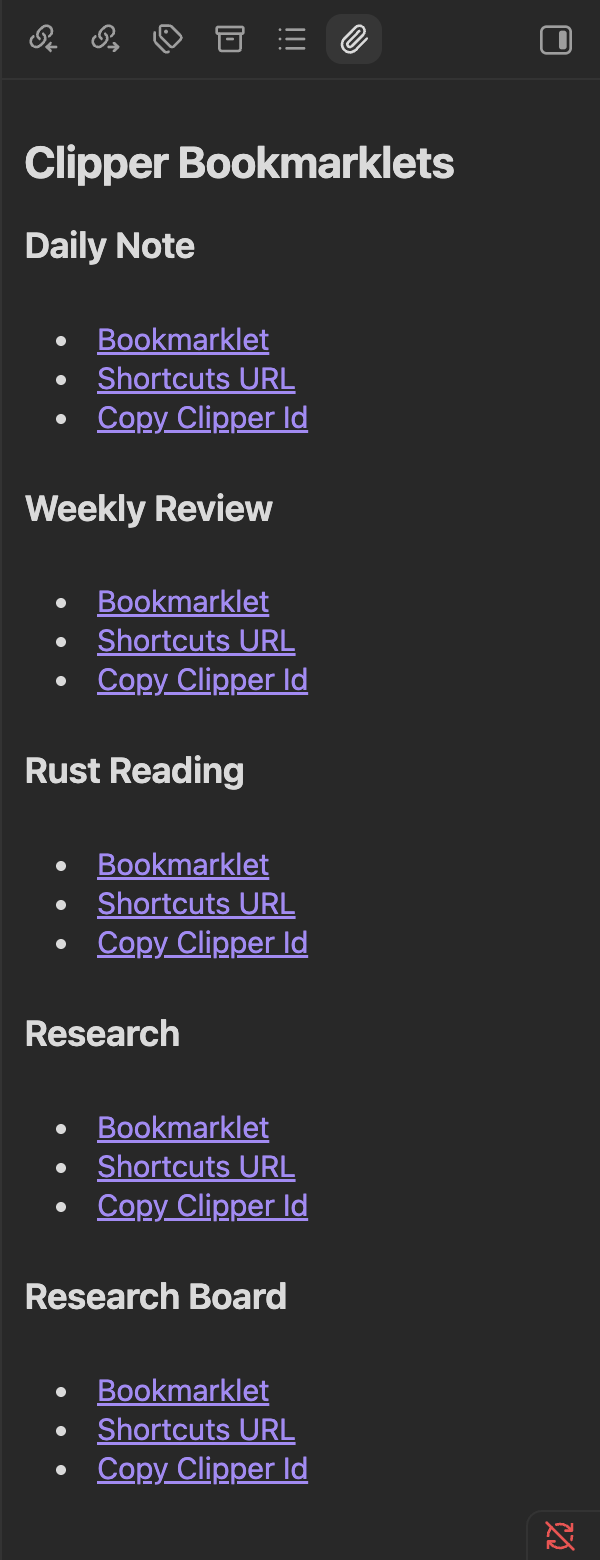
- Bookmarklet: copies the bookmarklet code. Paste it as the address of a new bookmark.
- Shortcuts URL: copies the Apple Shortcuts URL.
- Copy Clipper Id: copies the clipper's ID.
These links copy to the clipboard. To drag a bookmarklet, use the clipper's Browser tab.
Commands
| Command | Available when | What it does |
|---|---|---|
| Clipper: Create Topic Bookmarklet | A note is open | Opens the Browser tab of the clipper for this note, creating a topic clipper if there isn't one |
| Clipper: Canvas Bookmarklet | A canvas is open | The same, for a canvas clipper |
| Clipper: Copy Topic Note Bookmarklet (Clipboard) | A note with a clipper is open | Copies that clipper's bookmarklet code |
| Clipper: Copy Topic Note Apple Shortcut (Clipboard) | A note with a clipper is open | Copies that clipper's Shortcuts URL |
| Clipper: Open view | The Clipper view is closed | Opens the Clipper view |